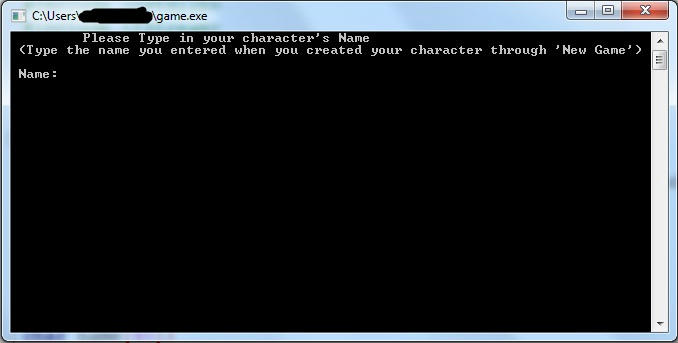
This is how the load game screen look like.
Now our game can create AND load games, it is up to you to add & change the variables that are being saved for each character.
I added the following for a start:
r_p --> How many red potions the user has (Red potions replenish health)
b_p --> How many blue potions the user has (Blue potions replenish mana)
hp --> Health Points
mp --> Mana Points
gold --> the amount of gold that the user currently has
lvl --> the user's level
In addition, you can change the way that those values are being kept in the file so that it will be more difficult to manipulate them with text editors...
Source Code:
#include <iostream>
#include <cstdlib>
#include <fstream>
using namespace std;
void new_game(char name[40]);
int main()
{
cout << "\t \t Welcome to My-Game!" << endl;
cout << "\t Please choose one of the options below: " << endl;
cout << "\t 1)New Game " << endl;
cout << "\t 2)Load Game " << endl;
cout << "\t 0)Exit " << endl << endl;
cout << "Choice: ";
int answer=0;
cin >> answer;
char name[40];
if (answer == 1)
{
system("cls");
cout << "\t Please Type in your character's Name (Max. 40 chars)" <
new_game(name);
}
else if (answer == 0)
{
return 0;
}
else if (answer == 2)
{
system("cls");
cout << "\t Please Type in your character's Name" <
}
int r_p,b_p,hp,mp,gold,level;
ifstream file;
file.open(name);
file >> r_p >> b_p >> hp >> mp >> gold >> level;
cout << r_p << " " << b_p << " " << hp << " " << mp << " " << gold << " " << level;
return 0;
}
void new_game(char name[40])
{
ofstream file;
file.open(name);
file << "1 1 100 100 250 1"; //r potions,blue potions,hp,mp,gold,lvl
file.close();
}

Δεν υπάρχουν σχόλια:
Δημοσίευση σχολίου