Παρασκευή 19 Οκτωβρίου 2012

Rock-Paper-Scissors Python 2.7

Starting today I am going to be creating small programs in python implementing simple games or solutions to simple problems. I am open to suggestions on what I should make. I might jump into more difficult problems later on, but for now:

A simple text-based Rock-Paper-Scissors game!!!
Note: You will have to download the source code from HERE to be able to follow up with what I am writing from this point onwards.

=======================================================================
Line 1: we import the build-in "random" module of python 2.7 which will allow the computer to make a "random" decision.

Line 2: "end" is the variable that keeps the state of the game, it is False if the player wants to keep playing and it becomes True when the player selects to quit.

Line 3: this line makes sure that the game will keep running until end becomes True

Line 4: "computer" is a random number between 0-2, the computer's choice

Line 5:"choices" is just a way to translate "computer" into words. Thus, choices[0] = 'Rock', etc..

Line 7:  makes sure that the program will keep asking the user for a choice until he gives us a valid one.

Line 10-13: if the player selected to quit, change end to True (so the game will stop) and "continue" (so the program won't try to print the outcome of the battle - remember our player chose to quit, not to play, so there will be no battle.)

Line 15: No matter what the player and the computer choose (Rock,Paper or Scissors), if they it's the same option then it is a draw.

The rest is just checking and printing the outcome.

=======================================================================-----------------------------------------------------------------------------------------------------------------------
Note: I am going to be using Python 2.7.3. The newest version right now is Python 3.2.3 and trust me, those two have A LOT of differences. That's why my programs might not work on newer versions. To check your Python's version just open a Python Shell. A line like this should be printed at the top.

"Python 2.7.3 (default, Apr 10 2012, 23:24:47) [MSC v.1500 64 bit (AMD64)] on win32"
-----------------------------------------------------------------------------------------------------------------------

Σάββατο 24 Μαρτίου 2012

C++ Simple RPGame - Load & Show Info - Exit


As you can see there have been some changes on some functions...
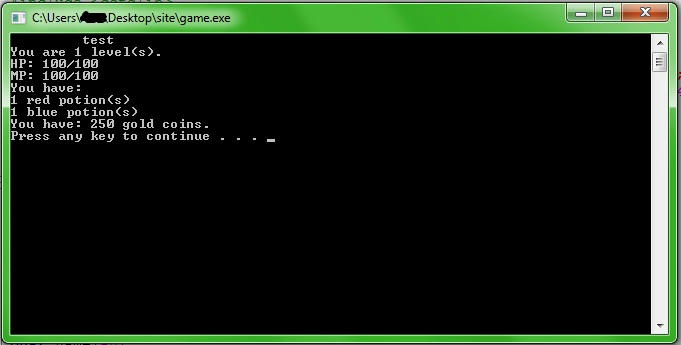
Now the player is able to see his character's info from the menu...
Along with some other minor changes so that the program can be easier to be modified later on.

Source Code:

#include <iostream>
#include <cstdlib>
#include <fstream>
using namespace std;
void new_game(char name[40]);
void fight(int r_p,int b_p,int hp,int mp,int gold,int level,char name[40]);
void show_info(int r_p,int b_p,int hp,int mp,int gold,int level,char name[40]);
void save(int r_p,int b_p,int hp,int mp,int gold,int level,char name[40]);
bool menu(int r_p,int b_p,int hp,int mp,int gold,int level,char name[40]);

int main()
{
cout << "\t \t Welcome to My-Game!" << endl;
cout << "\t Please choose one of the options below: " << endl;
cout << "\t 1)New Game " << endl;
cout << "\t 2)Load Game " << endl;
cout << "\t 0)Exit " << endl << endl;
cout << "Choice: ";
int answer=0;
cin >> answer;
char name[40];
if (answer == 1)
{
system("cls");
cout << "\t Please Type in your character's Name (Max. 40 chars)" <> name;
new_game(name);
}
else if (answer == 0){return 0;}
else if (answer == 2)
{
system("cls");
cout << "\t Please Type in your character's Name" <> name;
}

int r_p=0,b_p=0,hp=0,mp=0,gold=0,level=0;
ifstream file;
file.open(name);
file >> r_p >> b_p >> hp >> mp >> gold >> level;
file.close();

bool close = false;
while (close == false) {close = menu(r_p,b_p,hp,mp,gold,level,name);}

return 0;}

bool menu(int r_p,int b_p,int hp,int mp,int gold,int level,char name[40]){
bool close = false;
int answer=0;
system("cls");
cout << "\t " << name << endl;
cout << " What do you want to do now?" << endl << " 1) Fight \n 2) See Info \n 0)Save & Exit" << endl;
cin >> answer;
if (answer == 1)
{
fight(r_p,b_p,hp,mp,gold,level,name);
}
else if (answer == 2)
{
show_info(r_p,b_p,hp,mp,gold,level,name);
}
else if (answer == 0)
{
save(r_p,b_p,hp,mp,gold,level,name);
close=true;

}
return close;
}

void new_game(char name[40]){
ofstream file;
file.open(name);
file << "1 1 100 100 250 1"; //r potions,blue potions,hp,mp,gold,lvl
file.close();
return;
}

void save(int r_p,int b_p,int hp,int mp,int gold,int level,char name[40]){
ofstream file;
file.open(name);
file << r_p << " " << b_p << " " << hp << " " << mp << " " << gold << " " << level << endl;
file.close();
return;
}

void fight(int r_p,int b_p,int hp,int mp,int gold,int level,char name[40]){
return;
}

void show_info(int r_p,int b_p,int hp,int mp,int gold,int level,char name[40]){
system("cls");
cout << "\t " << name << endl;
cout << "You are " << level << " level(s)." << endl;
cout << "HP: " << hp << "/100" << endl;
cout << "MP: " << mp << "/100" << endl;
cout << "You have:\n" << r_p << " red potion(s)\n" << b_p << " blue potion(s)" << endl;
cout << "You have: " << gold << " gold coins." << endl;
system("pause");
return;
}

Τρίτη 18 Οκτωβρίου 2011

C++ Simple RPGame - Menu & Save - Exit


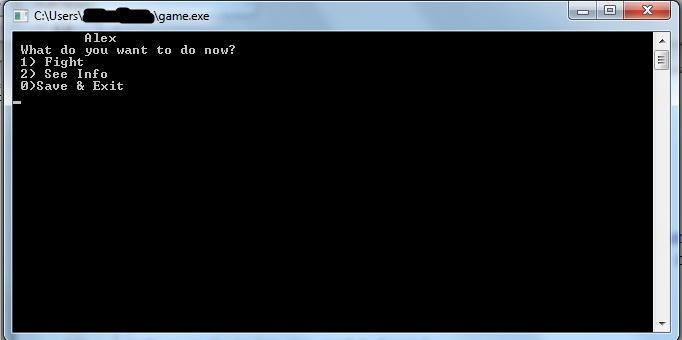
This is how the in-game menu will look like, I have added just three functions.
1) Fight an enemy so the character can level up
2) See your character's Information (level,gold,health etc...)
3) Save your progress and exit the game
You can add others if you want...

Function 3) is the only one working for now and this is the
Source Code:

#include <iostream>
#include <cstdlib>
#include <fstream>
using namespace std;
void new_game(char name[40]);
void fight(int r_p,int b_p,int hp,int mp,int gold,int level);
void show_info(int r_p,int b_p,int hp,int mp,int gold,int level);
void save(int r_p,int b_p,int hp,int mp,int gold,int level,char name[40]);

int main()
{
cout << "\t \t Welcome to My-Game!" << endl;
cout << "\t Please choose one of the options below: " << endl;
cout << "\t 1)New Game " << endl;
cout << "\t 2)Load Game " << endl;
cout << "\t 0)Exit " << endl << endl;
cout << "Choice: ";
int answer=0;
cin >> answer;
char name[40];
if (answer == 1)
{
system("cls");
cout << "\t Please Type in your character's Name (Max. 40 chars)" <> name;
new_game(name);
}
else if (answer == 0)
{
return 0;
}
else if (answer == 2)
{
system("cls");
cout << "\t Please Type in your character's Name" <> name;
}
int r_p,b_p,hp,mp,gold,level;
ifstream file;
file.open(name);
file >> r_p >> b_p >> hp >> mp >> gold >> level;
cout << r_p << " " << b_p << " " << hp << " " << mp << " " << gold << " " << level;

while (1)
{
system("cls");
cout << "\t " << name << endl;
cout << " What do you want to do now?" << endl << " 1) Fight \n 2) See Info \n 0)Save & Exit" << endl;
cin >> answer;
if (answer == 1)
{
fight(r_p,b_p,hp,mp,gold,level);
}
else if (answer == 2)
{
show_info(r_p,b_p,hp,mp,gold,level);
}
else if (answer == 0)
{
save(r_p,b_p,hp,mp,gold,level,name);
return 0;
}
}

return 0;
}

void new_game(char name[40])
{
ofstream file;
file.open(name);
file << "1 1 100 100 250 1"; //r potions,blue potions,hp,mp,gold,lvl
file.close();
return;
}

void save(int r_p,int b_p,int hp,int mp,int gold,int level,char name[40])
{
ofstream file;
file.open(name);
file << r_p << " " << b_p << " " << hp << " " << mp << " " << gold << " " << level << endl;
file.close();
return;
}

void fight(int r_p,int b_p,int hp,int mp,int gold,int level)
{
return;
}
void show_info(int r_p,int b_p,int hp,int mp,int gold,int level)
{
return;
}

Δευτέρα 17 Οκτωβρίου 2011

C++ Simple RPGame - Load Game


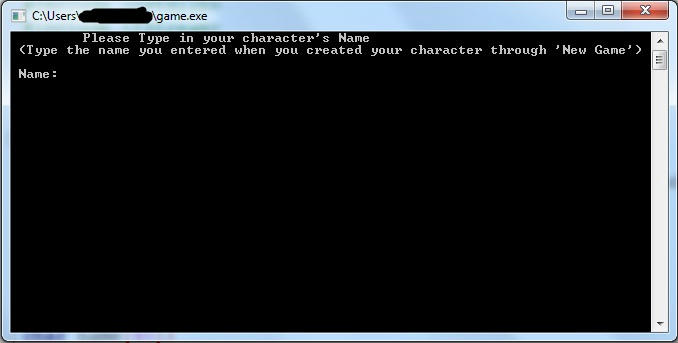
This is how the load game screen look like.
Now our game can create AND load games, it is up to you to add & change the variables that are being saved for each character.
I added the following for a start:
r_p --> How many red potions the user has (Red potions replenish health)
b_p --> How many blue potions the user has (Blue potions replenish mana)
hp --> Health Points
mp --> Mana Points
gold --> the amount of gold that the user currently has
lvl --> the user's level

In addition, you can change the way that those values are being kept in the file so that it will be more difficult to manipulate them with text editors...

Source Code:

#include <iostream>
#include <cstdlib>
#include <fstream>
using namespace std;
void new_game(char name[40]);

int main()
{
cout << "\t \t Welcome to My-Game!" << endl;
cout << "\t Please choose one of the options below: " << endl;
cout << "\t 1)New Game " << endl;
cout << "\t 2)Load Game " << endl;
cout << "\t 0)Exit " << endl << endl;
cout << "Choice: ";
int answer=0;
cin >> answer;
char name[40];
if (answer == 1)
{
system("cls");
cout << "\t Please Type in your character's Name (Max. 40 chars)" <> name;
new_game(name);
}
else if (answer == 0)
{
return 0;
}
else if (answer == 2)
{
system("cls");
cout << "\t Please Type in your character's Name" <> name;
}
int r_p,b_p,hp,mp,gold,level;
ifstream file;
file.open(name);
file >> r_p >> b_p >> hp >> mp >> gold >> level;
cout << r_p << " " << b_p << " " << hp << " " << mp << " " << gold << " " << level;

return 0;
}

void new_game(char name[40])
{
ofstream file;
file.open(name);
file << "1 1 100 100 250 1"; //r potions,blue potions,hp,mp,gold,lvl
file.close();
}

Κυριακή 9 Οκτωβρίου 2011

C++ Simple RPGame - New Game & Exit


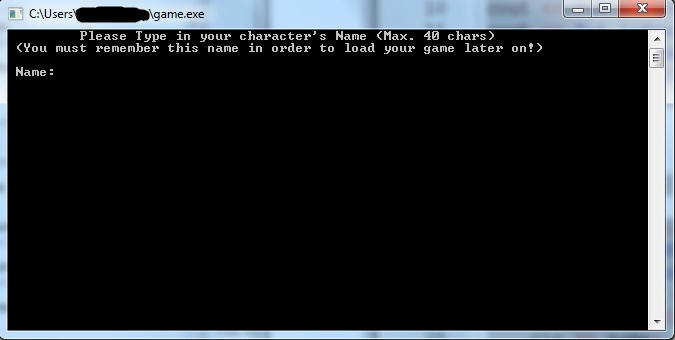
These are the latest changes in the game, I added a New Game function, now you can choose to create a new player, the program will ask for your character's name and it will create a file which contains all the information about your player (level, hp, mp, gold, etc).

Source Code:

#include <iostream>
#include <cstdlib>
#include <fstream>
using namespace std;
void new_game(char name[40]);

int main()
{
cout << "\t \t Welcome to My-Game!" << endl;
cout << "\t Please choose one of the options below: " << endl;
cout << "\t 1)New Game " << endl;
cout << "\t 2)Load Game " << endl;
cout << "\t 0)Exit " << endl << endl;
cout << "Choice: ";
int answer=0;
cin >> answer;

if (answer == 1)
{
system("cls");
cout << "\t Please Type in your character's Name (Max. 40 chars)" <> name;
new_game(name);
}
else if (answer == 0)
{
return 0;
}

return 0;
}

void new_game(char name[40])
{
ofstream file;
file.open(name);
file << "1 1 100 100 250 1"; //r potions,blue potions,hp,mp,gold,lvl
file.close();
return;
}


Παρασκευή 7 Οκτωβρίου 2011

C++ Simple RPGame - Intro & Main Menu


Let's write a simple text-based rpg(role playing game) in C++. This game will be completed through a series of posts, each post working on a different part of the game, I will post the whole game's source code and the executable when the game is finished. Until then I will be posting as the game development progresses.

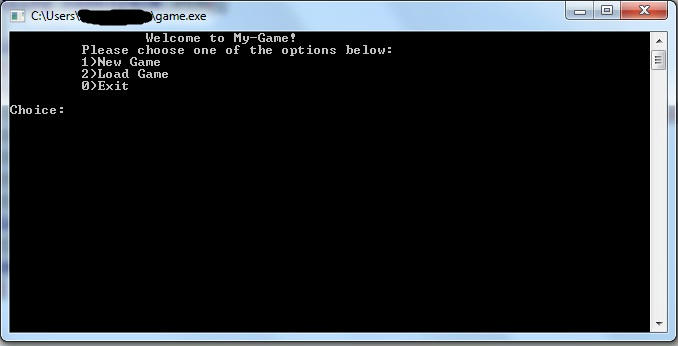
So this is the first part of the game, the Main Menu.... It doesn't actually do anything yet but I've got to start from somewhere.. It is a pretty simple program that prints all the possible choices given to the user numbered from 0 to 2.

Source Code:

#include <iostream>
#include <cstdlib>
using namespace std;
int main()
{
cout << "\t \t Welcome to My-Game!" << endl;
cout << "\t Please choose one of the options below: " << endl;
cout << "\t 1)New Game " << endl;
cout << "\t 2)Load Game " << endl;
cout << "\t 0)Exit " << endl << endl;
cout << "Choice: ";
int answer=0;
cin >> answer;
return 0;
}